
MailerLite receives more positive reviews in email marketing, and in the high-stakes world of digital marketing, 2026 has become the year of “Efficiency First.” The days of bloated marketing budgets and “growth at all costs” are behind us. Today, marketers are looking for tools that are lean, smart, and capable of cutting through the noise.
1. What is MailerLite in 2026?
MailerLite is a beginner-friendly email marketing tool that champions a “lite” philosophy, offering advanced features without the complex, enterprise-grade clutter. It is truly for the modern creator, the agile startup, and the small business owner who needs high deliverability rates and seamless email automation workflows without hiring a full-time developer.
2. The “MailerLite Login” & User Experience
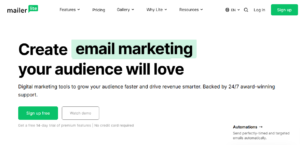
The first thing you’ll notice during the MailerLite login process is the distinct lack of friction. While platforms like HubSpot or Salesforce can feel like stepping into the cockpit of a 747, MailerLite feels like a well-organized workspace.
- The Left-Hand Navigation Shift
Following its major infrastructure overhaul, MailerLite moved to a sleek vertical navigation bar. In my testing, this small UI shift significantly improved productivity. Unlike the “Classic” version, the “New” MailerLite categorizes everything into clear buckets: Campaigns, Subscribers, Forms, Sites, and Automation.
The “Clean” Argument: Users love the minimalist design. It’s hard to get lost. The drag-and-drop editor is exceptionally snappy, featuring “pre-formatted blocks” that make designing a professional newsletter feel more like building with Lego than coding.
The “Cluttered” Counter: Power users often overlook that “lite” means limited. If you are used to deep, nested folders or complex multi-account management, you might find the interface too simple.
3. The MailerLite vs. Mailchimp Showdown: The Financial & Operational Reality
This is the heavyweight bout of the email world. But in 2026, the winner isn’t decided by features; it’s decided by your bottom line.
- The Financial Impact
Mailchimp has moved toward being an “all-in-one” marketing CRM. This sounds great until you get the bill. Mailchimp charges based on total contacts (including unsubscribed ones), whereas MailerLite only charges for unique active subscribers.
- Operational Impact:
Mailchimp: Better for large, data-driven teams that need predictive analytics and 300+ integrations. If you have a massive budget and need AI to tell you exactly when to send a tweet, an email, and a postcard, stick with the Chimp.
MailerLite: Better for those who value speed. Its landing page builder is objectively more intuitive than Mailchimp’s, and its automation builder is visual and linear.
4. MailerLite Pricing 2026 & The Hard Truth About Free Limits
We have to talk about the “elephant in the inbox”: MailerLite joined the industry trend of shrinking free tiers.
- Free Forever: Limited to 500 subscribers (previously 1,000) and 12,000 emails/month.
- Growing Business: Starts at $10/month. This removes the MailerLite logo and unlocks unlimited templates.
- Advanced: Starts at $20/month. This is where the AI writing assistant, custom HTML editor, and smart sending (delivery by timezone) live.
The “Free Forever” Reality Check: I observed a spike in migrations away from MailerLite when they halved the free limit to 500. For a hobbyist, 500 is plenty. For a business, you will hit this ceiling in a week. Furthermore, the free plan no longer includes pre-built newsletter templates—you have to build from scratch.
6.10 Best MailerLite Alternatives in 2026
| Brevo | Multi-channel scaling | Unlimited contacts on the free plan | 300 emails/day limit on free |
| Kit (ConvertKit) | Creators/Bloggers | Top-tier creator network | Pricing scales quickly |
| Sender | Maximum Free Value | Generous 2,500-subscriber free tier | Basic automation triggers |
| Zoho Campaigns | Budget B2B | Deep integration with Zoho CRM | The interface feels a bit dated |
| Moosend | Advanced Automation | Excellent reporting/analytics | No free plan (30-day trial only) |
| MailerCheck | Deliverability | Built-in email verification | Separate pricing from marketing |
| Omnisend | eCommerce | Incredible Shopify/WooCommerce hooks | Expensive for non-eCommerce users |
| GetResponse | Funnel Building | Includes Webinar hosting tools | High learning curve |
| AWeber | Reliability/Service | 24/7 phone support (rare!) | The design editor feels restrictive |
| SendGrid | Developers | Best-in-class transactional emails | Very technical UI |
7. Ratings & Real-Life Examples
On G2 and Capterra, MailerLite consistently maintains a 4.6/5 rating. But ratings don’t tell the whole story.
- Case Study 1: The Success Story
The Healthy Plate, a boutique recipe blog, used MailerLite’s AI subject line generator and smart sending to increase open rates nearly 22%. Because they had a good number of subscribers, nearly 5,000 subscribers, they stayed on the $39/month tier, making their ROI incredible. It really increased their business and brought more quality leads, which will be one of my case studies.
- Case Study 2: The Migration Hurdle
In contrast, TechNova, a hardware startup company, struggled with MailerLite’s strict approval process. They tried to upload a list of 2,000 leads gathered from a tradeshow. MailerLite’s compliance team flagged the account, demanding proof of opt-in for every lead. Feeling the process was too slow, TechNova migrated to Brevo, which has a more lenient (though higher risk) onboarding flow. It will be another success story of using MailerLite email marketing software.
8. The Verdict: Is MailerLite Worth It?
Absolutely, it will be worth using it, especially if you are a solo creator or a small agency that prioritizes deliverability rates and a clean workflow. It is unbeatable in terms of value. However, if you are a high-volume sender or need advanced transactional emails (like password resets) without an add-on, you should look at Brevo or SendGrid. Based on a pricing point of view, it will also be very worthwhile. In my experience, it really works well for me, and I recommend it to many of them. They also shared good reviews about it. That’s in my conclusion; it will be very useful.
My Recommendation: Sign up for the 14-day premium trial. Test the AI writing assistant and build an automation. If you can’t get it working in 10 minutes, the platform isn’t for you. But for 90% of you, MailerLite is the “Goldilocks” of email marketing: just right.
9. Frequently Asked Questions
- Is MailerLite still free?
Yes, but the 2026 limits are tighter. You get 500 subscribers and 12,000 emails per month for free. It’s perfect for starters, but once you hit subscriber 501, you’ll need to move to a paid plan starting at $10/month.
- MailerLite vs. Mailchimp: Which is better?
MailerLite is better for creators and small businesses that want a simple interface and affordable pricing. Mailchimp is better for large enterprises needing advanced data analytics, though it is significantly more expensive. But it completely depends on user needs
- Does MailerLite have good deliverability?
Yes. It has some of the best deliverability rates in the industry (around 97%). Because they have a strict manual approval process for new accounts, their servers stay “clean,” helping your emails skip the spam folder.
- Can I build landing pages in MailerLite?
Yes. Even on the free plan, you can build up to 10 landing pages. The builder is highly intuitive, using a drag-and-drop system that requires zero coding knowledge to create professional-looking pages.