In my 10+ years of experience as a content strategist, I’ve seen more than hundreds of SEO (search engine optimisation) tools come and go. Some were flashes in the pan; others became bloated and too technical for their own good. But this morning, as I sipped my coffee and logged into Answer the Public to map out a campaign for a new client, I was reminded why it remains my “secret weapon” in 2026 for content ideas, not only for me but also for people who are struggling to generate content ideas. It will help superbly.
We are no longer in the era of “ten blue links.” We are in the era of search listening. With AI Overviews (SGE) and voice search dominating Google, users aren’t just typing keywords; they are having conversations. If you want to rank today, you have to answer the specific, often messy, questions real people are asking. Things changed really with AI mode; we also adopted it, or else our rankings would not be at the top of the results.
Here is my case study on how to use Answer the Public for content creation that actually converts.
What is Answer the Public 2026?
At its core, Answer the Public is a search observing tool that scrapes autocomplete data from search engines like Google and Bing, other search engines, and platforms like TikTok and YouTube. It takes a “short keyword” and visualizes every related query into beautiful, data-rich “clouds.”
What’s new in 2026? Since it was taken over by Neil Patel’s team, they made many changes to meet the new AI Research Trend, and the tool has integrated deep AI-driven insights. It doesn’t just show you what people are asking; it now categorizes queries by search intent (informational, transactional, commercial, navigational, etc.) and suggests AI-generated content briefs to help you start writing immediately. It saves more time, gives creative ideas, and feels comfortably gives more peace on researching and writing with advanced AI integration by nel patel team.
Answer the Public Tool Full Tutorial
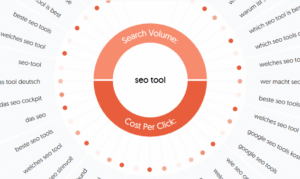
If you’re new to the tool, the “Visualization Wheel” can look a bit like a spiderweb. Here is how I navigate it to get the best results:
- Start Broad: Enter a 1-2 word “seed” term (e.g., “Organic Skincare”).
- The Question Wheel: This is your goldmine. It breaks searches into Who, What, Where, When, Why, and How.
- Pro Tip: Look for “Are” and “Can” questions; these often signal a user who is right on the edge of making a purchase.
- The Preposition Cloud: This section adds words like “for,” “with,” and “to” to your keyword.
Example: “Organic skincare for rosacea.” This is a high-intent, long-tail keyword that is much easier to rank for than just “skincare.” Always focus on long-tail keywords initially; it helps to rank faster and easily compares short-tail keywords.
- Initially target long tail; once ranking, with good results, go with short tail; it gives more confidence and happiness because whenever our keywords rank, it gives more confidence and motivation to focus on short-tail keywords. If you go with a short tail, if you rank, then you’re happy; if you don’t rank or it takes more time, it leads to dissatisfaction because of not ranking.
- The Comparison Tab: This is my favorite for “Bottom of the Funnel” content. It shows “vs.,” “and,” and “or” searches.
- Insight: If you see “Brand A vs Brand B,” your audience is in the final decision-making stage. Write that comparison post!
How to use Answer the Public for Content Creation
In my experience, the biggest mistake marketers make is exporting the data and then doing nothing with it. Here is my 3-month strategy for turning these visuals into a content calendar:
- Month 1 (The Foundation): Take the “What” and “How” questions to create 4-5 pillar “Ultimate Guides.”
- Month 2 (The Comparison): Use the “Vs” and “Alternative” data to create middle-of-the-funnel reviews.
- Month 3 (The FAQ): Take the highly specific “Can” and “Is” questions and turn them into short-form “Quick Answer” posts or TikTok/Reel scripts. This is how you win the Featured Snippets and AI Overviews.
Is Answer the Public Free to Use?
This is the question I get most from my students. Yes, there is a free version, but it has limits:
- Free Plan: You get 3 free searches per day if you create a free account.
- Pro Plans: If you are an agency or a serious niche blogger, the Pro plan (starting around $26/month for individuals in 2026) is essential. It offers unlimited searches, “Search Alerts” for new trending questions, and high-res CSV exports.
- When you look at the landscape, tools like Ahrefs, SEMrush, or Moz typically charge between $950 and $9,990 per year. That is a massive barrier for solo creators. In contrast, Answer the Public offers a model that is often 90% cheaper than the “big players,” making expert-level data accessible to everyone.
Answer The Public Pricing Plans in 2026
| Plan | Best For | Monthly (Billed Yearly) | Monthly (Flexible) | Lifetime Deal |
| Free | Beginners | $0 | $0 | N/A |
| Individual | Solo Freelancers | $13.33 | $20 | $99 |
| Pro | Small Teams | $26.67 | $40 | $990 |
| Expert | Agencies | $40.00 | $60 | $1,990 |
My Verdict: Start with the free version today. If you find yourself hitting that daily limit more than twice a week, pull the trigger on the $99 Lifetime Deal. It effectively pays for itself after your first three successful blog posts.
Answer the Public vs Ahrefs: Which do you need?
I often see people debating which is better. The truth? They aren’t competitors; they are partners.
| Primary Goal | Finding what people say (Intent) | Finding How to rank (Metrics) |
| Visuals | Beautiful, easy-to-read wheels | Technical graphs and tables |
| Best For | Brainstorming & Voice Search | Backlink audits & Keyword Difficulty |
| Search Volume | Basic/Estimated | Highly Accurate |
In my workflow, I use Answer the Public to find the “creative angle” and then plug those ideas into Ahrefs to check the Keyword Difficulty (KD) and see who my competitors are.
Top 5 Free Alternatives to Answer the Public
If you’ve run out of your 3 daily searches and need more data, check out these reliable alternatives:
- AlsoAsked.com: This tool specifically scrapes the “People Also Ask” boxes on Google. It’s incredibly deep for topical mapping.
- QuestionDB: Instead of Google Autocomplete, this pulls from Reddit and forums. It’s perfect for finding “raw,” unpolished questions that haven’t been targeted by big SEOs yet.
- Google Trends: Still the king for seeing if a topic is growing or dying. I never write a post without checking the trend line first.
- Answer Socrates: In my experience, Answer Socrates is the closest thing to a “totally free” version of Answer the Public. It was built specifically to fill the gap left when Answer the Public moved toward a more restrictive paid model.
-
Soovle: If you want to move beyond Google and see what’s happening on other major platforms, Soovle is an old-school but incredibly powerful tool that I still use for quick brainstorming.
Answer the Public Conclusion 2026: The Final Verdict
Is it still worth it in 2026? Absolutely. In 2026, it was trusted by morethan 2.7 million users. While AI tools like ChatGPT can “guess” what people are asking, Answer the Public gives you actual data from the search bar. In an era where Google prioritizes EEAT (Experience, Expertise, Authority, and Trust), being the first to answer a new, trending question is the fastest way to build authority. Try once freeversion of the answer the public website, explore all options you definately loved this tool, it gives actual, real-time data with its presentation in a chart wise helps to understand easily. Try the free trail answer the public if it is helpful for you, then go with the paid version.